
When should the Accessibility Team be engaged?
The Digital Accessibility Team should be involved in every phase of a product’s lifecycle.
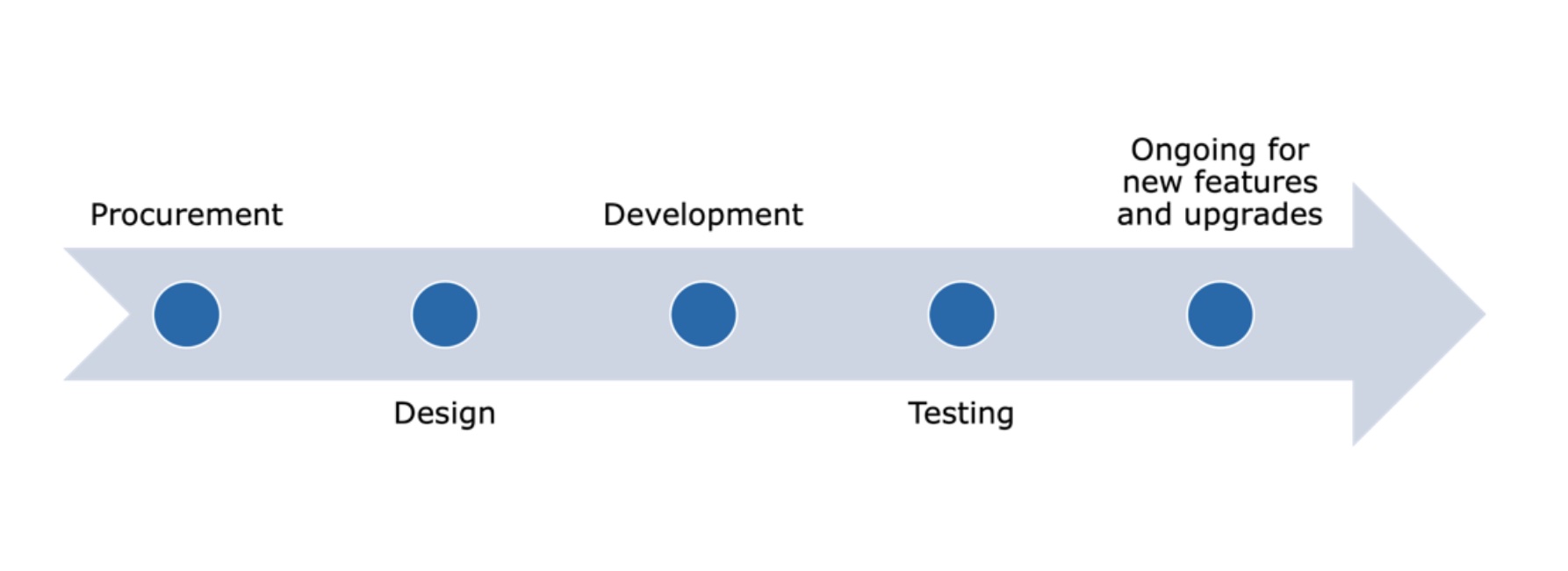
How to request testing
Submit a case as early as possible for the UITS - Digital Experience team with the following information:
- Overview of what will need to be tested.
- Information about who will or does use the product.
- Estimated timeline for testing.
Step by Step Testing and Remediation Process
- The product owner alerts the accessibility team that testing is needed for a product.
- The product owner requests the product vendor send their latest version of the Accessibility Conformance Report.
- If this is a product we have not procured yet, the product owner requests that that the vendor complete an Accessible Procurement Questionnaire.
- The accessibility team reviews the Accessibility Conformance Report and any other relevant accessibility documentation the vendor sends. If the product is new, the accessibility team also reviews a completed Accessible Procurement Questionnaire.
- If possible, the product owner works with the vendor to set up a demo where the vendor shows how the product works with various types of assistive technology, including a screen reader, speech recognition software, high contrast mode, and browser zoom.
- The accessibility team completes internal manual testing of product with various types of assistive technology.
- The accessibility team documents all accessibility issue findings in the Accessibility Tracker, and records videos or takes screenshots, so the vendor can recreate issues.
- The product owner reviews the issues that the accessibility team documented and determines if any of the issues were created by the internal product team. If so, the product owner works with the internal team to fix those issues.
- For any issues that are vendor-specific, the product owner or the accessibility team submits the issues to the vendor through case management. Each accessibility issue should be entered as a separate case as this makes it easier to reply with follow up questions on specific issues and easier to track overall vendor progress in resolving issues.
- Based on case feedback by the vendor, the accessibility team provides additional information as needed to help the vendor recreate an issue. Some vendors will need to be educated on assistive technology and on how to address specific issues.
- If the product is actively being used, the product owner communicates accessibility issues to campus product owners with any equally effective workarounds. Any recommended workarounds should be reviewed with the accessibility team and General Counsel to confirm they meet the definition of equally effective.
- The product owner and accessibility team work with the General Counsel and Procurement to update a new or up-for-renewal contract with an accessibility remediation timeline as needed.
- The accessibility team provides ongoing updates to the product owner and any identified leadership on vendor's accessibility efforts.
- The accessibility team continues to work directly with the vendor to fix and re-test issues. The accessibility team must validate an issue has been fixed before the vendor case and the internal accessibility tracker issue can be closed.
- The product owner and accessibility team follow the critical issue escalation process when a vendor refuses to fix or does not respond when a critical issue is submitted.
- The product owner engages the accessibility team in ongoing testing of the product during upgrades and when new features are released.
Types of Manual Testing Conducted by the Digital Accessibility Team
| Manual Testing | Impacted Communities |
|---|---|
| Screen Readers (NVDA and VoiceOver) | Blind, Low Vision, Deafblind |
| Speech Recognition Software (Voice Control) | Mobility, Low Vision |
| Display Modes (High Contrast, Reduced Motion, Dark Mode, Color Filters) | Vestibular Disorders, Traumatic Head Injuries, Motion Sensitivity, Low Vision, Colorblind |
| Screen Magnification Software and Browser Zoom | Low Vision |
| Keyboard-Only | Mobility |
| Text-to-Speech Software | Neurodivergent, Low Vision |
| Contrast Analyzer | Colorblind, Low Vision |
| Manual content review (Links, Captions, Transcripts, etc.) | Colorblind, Low Vison, Deaf, Hard of Hearing, Deafblind |
What the team needs for successful testing and vendor fixes
- A list of business processes to test within the product.
- Access to a staging or test environment with proper security access.
- Test scripts to follow, such as functional test scripts or user job aids.
- Once testing is complete, access to the vendor’s accessibility or development testing team to work on identified issues.
- Escalation to leadership and then legal when the vendor refuses to fix critical barriers.
How We Prioritize and Manage Third-Party Product Testing
All third-party product testing is managed through the Accessibility Tracker. The Accessibility Tracker allows us to capture the following:
- Key information about a product, such as the product contract language, Accessibility Conformance Report, both the internal and external product owner, and an overall history of accessibility testing in relation to that product.
- Issues associated with each product. Issues are entered individually so we can track the status of each issue along with the issue impact information (who is impacted, what types of assistive technology, and whether the impact will block the user from completing a process).
Compliance review priority statuses
- Critical - Vendor is using an overlay
- Critical - Barriers submitted by impacted end user
- Critical - High Usage and Known Compliance Issues
- Critical - High Usage and Compliance Status Unknown
- Medium - Targeted Audience and Known Compliance Issues
- Medium - Targeted Audience and Compliance Status Unknown
- Low - Usage Varies but No Barriers